
Z5 Inventory3.2.1 - App Store
You'll be able to see results in few seconds.
Publisher Description
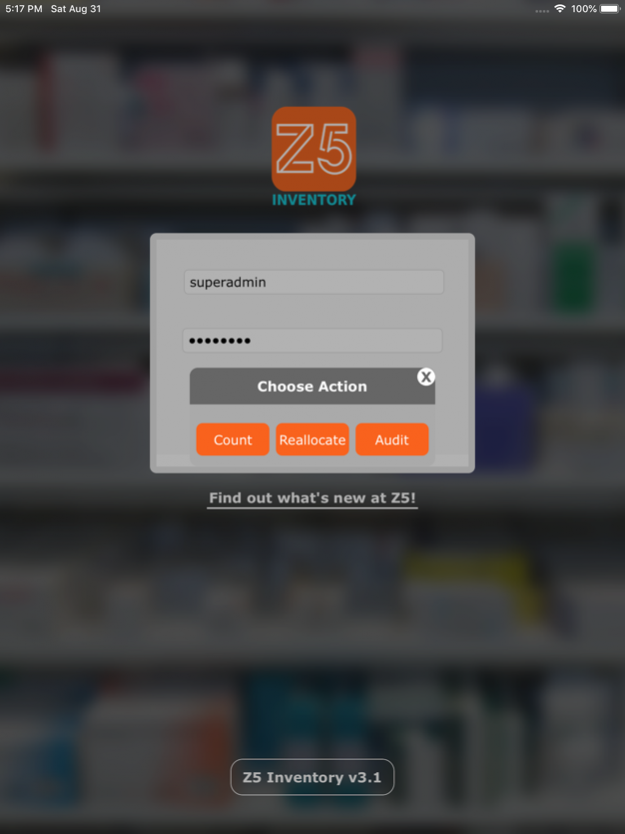
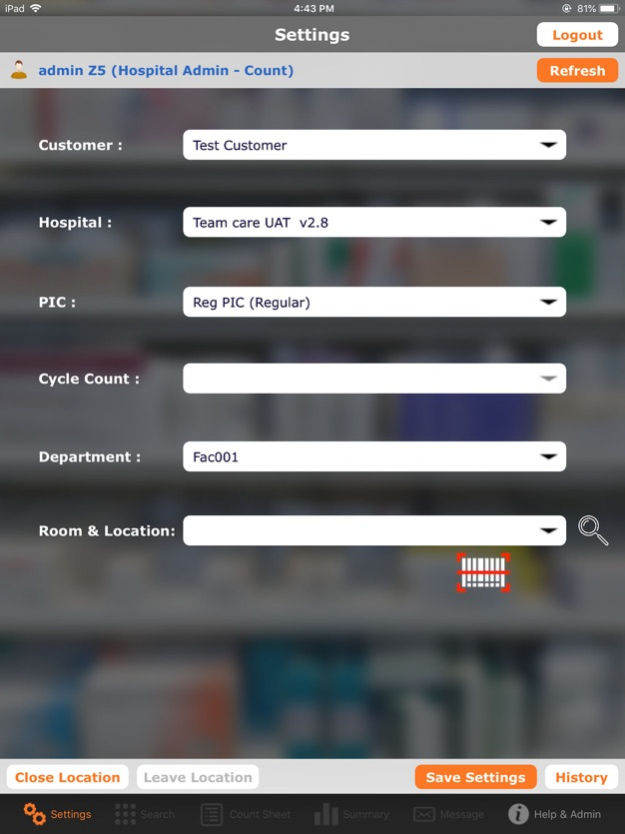
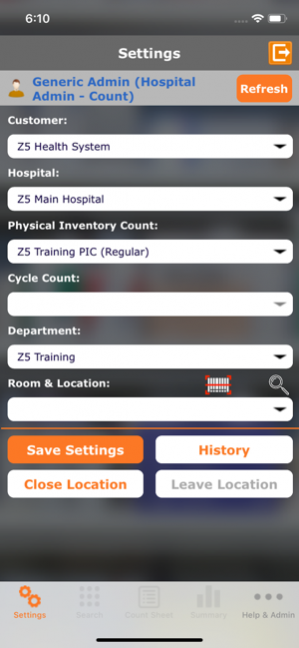
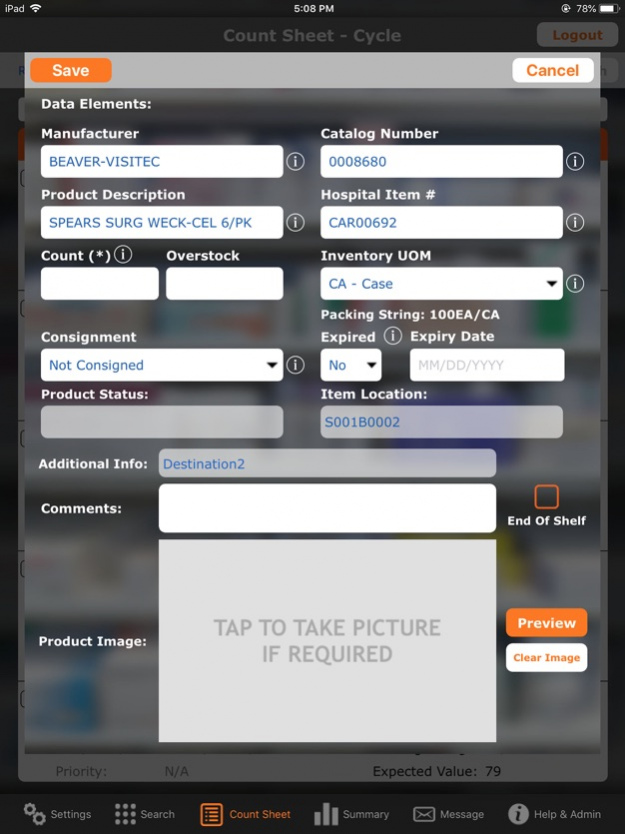
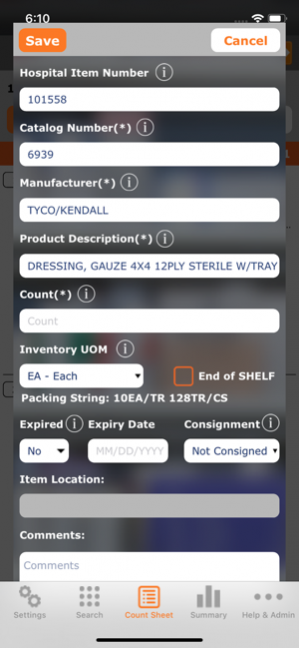
Z5 Inventory is an enterprise-class application designed for anyone in the healthcare industry looking to identify and value medical inventory quickly and efficiently.
Z5 Inventory users can...
• Rapidly collect inventory data using simplified product searches and digital count sheets.
• Generate valuation reports as soon as each item is counted.
• Utilize iPhones or iPads.
• Identify unused and obsolete inventory before it expires
• Receive real-time alerts of overvalued counts.
• Mark consignment and expired items.
• Capture pictures of undocumented items to help research efforts.
• Audit counts within the application.
Conduct traditional periodic inventories. Build new PAR locations. And don’t leave savings on the shelf!
Z5 Inventory requires a separate license agreement for app users. Please contact info@Z5Inventory.com to learn more.
Mar 26, 2020 Version 3.2.1
• Added support to UPC/EAN13 barcodes.
• Implemented NEW ‘Z5 Reallocate’ to access from mobile devices.
• Better performance when counting those large locations.
About Z5 Inventory
The company that develops Z5 Inventory is Solugenix Corporation. The latest version released by its developer is 3.2.1.
To install Z5 Inventory on your iOS device, just click the green Continue To App button above to start the installation process. The app is listed on our website since 2020-03-26 and was downloaded 0 times. We have already checked if the download link is safe, however for your own protection we recommend that you scan the downloaded app with your antivirus. Your antivirus may detect the Z5 Inventory as malware if the download link is broken.
How to install Z5 Inventory on your iOS device:
- Click on the Continue To App button on our website. This will redirect you to the App Store.
- Once the Z5 Inventory is shown in the iTunes listing of your iOS device, you can start its download and installation. Tap on the GET button to the right of the app to start downloading it.
- If you are not logged-in the iOS appstore app, you'll be prompted for your your Apple ID and/or password.
- After Z5 Inventory is downloaded, you'll see an INSTALL button to the right. Tap on it to start the actual installation of the iOS app.
- Once installation is finished you can tap on the OPEN button to start it. Its icon will also be added to your device home screen.
Program Details
System requirements
Download information
Pricing
Version History
version 3.2.1
posted on 2020-03-26
Mar 26, 2020 Version 3.2.1
• Added support to UPC/EAN13 barcodes.
• Implemented NEW ‘Z5 Reallocate’ to access from mobile devices.
• Better performance when counting those large locations.
version 3.2
posted on 2019-10-01
Oct 1, 2019 Version 3.2
• Added iOS 13 compatibility
Without a pop culture reference, saying "Version 3.2 is here!" doesn't sound super fun. But just look at all the good stuff it comes with!
You'll be able to...
• Integrate scanning into your count more seamlessly.
• Perform a product lookup by partial or exact catalog numbers with greater accuracy.
• Show or hide Count Sheet data for all locations from the comfort of the web portal.
• Reset the data stored on your device. (Just the Z5 Inventory App data, though. You're gonna have to find another way to delete those incriminating text messages.)
And as usual we made a whole bunch of backend improvements that you’ll never see but will make everything better / faster / stronger…
• Revising the way you view the Help documents that guide you through the App.
• Optimizing navigation through the App while the Item Master download progresses.
• Crushing some pesky bugs under the weight of our digital heels.
version 2.0
posted on 2012-12-31
version 3.2.1
posted on 1970-01-01
26. März 2020 Version 3.2.1
• Added support to UPC/EAN13 barcodes.
• Implemented NEW ‘Z5 Reallocate’ to access from mobile devices.
• Better performance when counting those large locations.
Disclaimer
Official App Store Link
We do not host Z5 Inventory on our servers. We did not scan it for viruses, adware, spyware or other type of malware. This app is hosted by Apple and passed their terms and conditions to be listed there. We recommend caution when installing it.
The App Store link for Z5 Inventory is provided to you by apps112.com without any warranties, representations or guarantees of any kind, so access it at your own risk.
If you have questions regarding this particular app contact the publisher directly. For questions about the functionalities of apps112.com contact us.
